Newsletter Subscribe
Enter your email address below and subscribe to our newsletter

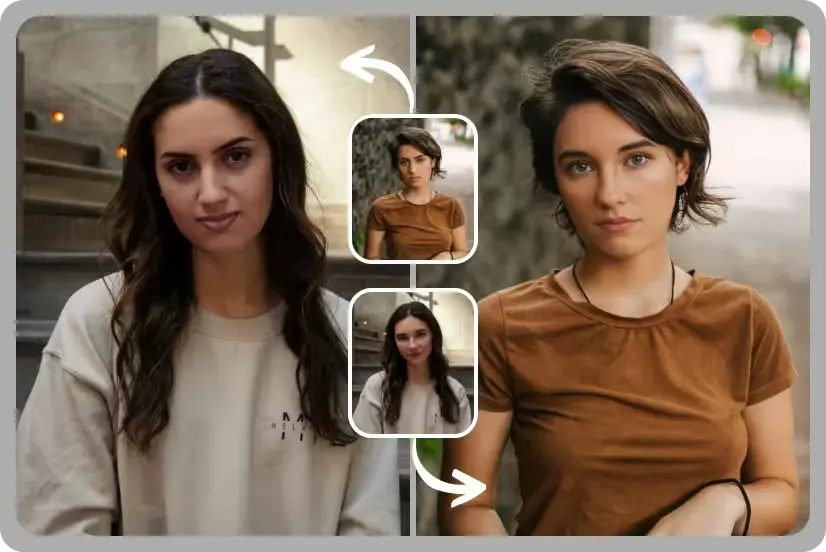
AI-powered video editing has moved from novelty to necessity. Creators, marketers, and everyday users now expect to swap faces, sync lips to new audio, and animate photos in a matter of minutes — not hours. Whether you’re localizing a video into a new language, building a talking avatar for a product demo, or just having fun with a face swap for social media, the right tool makes all the difference between a clunky, robotic result and something that looks genuinely convincing.
In 2026, the market is crowded with options, but not all of them deliver on quality, speed, or value. We tested the leading platforms across output realism, ease of use, pricing transparency, and reliability under real-world load. Below is our ranked list of the best tools available today.
| Tool | Best For | Starting Price | Key Feature |
| Magic Hour | Overall best — lip sync & face swap | Free; Creator: $19/mo or $12/mo billed annually; Pro: $39/mo or $25/mo billed annually | Frontier models, no-signup trial, credits never expire |
| HeyGen | AI avatars & business video | Free trial; paid plans from ~$29/mo | Multilingual avatar generation |
| Synthesia | Corporate training videos | From ~$18/mo (seat-based) | Large stock avatar library |
| Reface | Casual, mobile-first face swap | Free with in-app purchases | Simple mobile app experience |
| D-ID | API-driven talking avatars | Custom/API pricing | Developer-focused integration |
| Wav2Lip (open source) | Budget/technical users | Free (self-hosted) | Open-source lip sync model |
Magic Hour has quickly become the go-to platform for anyone searching for Magic Hour lip sync or a reliable video face swap AI, and it earns the top spot on this list for good reason. Rather than specializing in just one trick, Magic Hour bundles best-in-class lip sync, face swap, and talking-photo generation into a single, fast, and genuinely easy-to-use platform — and you can try it without even creating an account.
What sets Magic Hour apart isn’t just output quality, though that alone is class-leading. It’s the way the whole platform is built around speed and flexibility: click-to-create templates get you from idea to finished clip in seconds, and one-click multi-step workflows let you generate, upscale, and turn a still image into video without ever leaving the app. Instead of locking you into a single AI model, Magic Hour gives you access to many of the top generative models in one place, so you can compare takes and pick the best result. Multiple variations render in parallel with no concurrency cap, meaning you’re never stuck waiting in a queue behind your own jobs.
The platform also ships new features on a weekly basis, and it’s built to hold up under real pressure — from live event activations to sudden traffic spikes — without falling over. It works equally well on desktop and mobile, has full API parity so developers get the same capabilities as the web app, and if you ever run into an issue, support responses come directly from the founding team rather than a support queue. Credits never expire, and the free tier is unusually generous compared to competitors that gate almost every feature behind a paywall.
Pricing:
Main features:
Drawbacks:
HeyGen is a strong choice for teams that need multilingual AI avatars for marketing or training content. Its face-swap and lip-sync quality is solid, and translation-plus-lip-sync in a single pass is a genuine time-saver.
Pricing: Free trial available; paid plans start around $29/month.
Main features: Multilingual avatar dubbing, template library, brand voice cloning.
Drawbacks: Higher-tier plans get expensive quickly, and rendering can be slow during peak hours.
Synthesia is built primarily for corporate training and internal communications video, with a large library of stock avatars and support for dozens of languages.
Pricing: Seat-based plans starting around $18/month per seat.
Main features: Avatar library, script-to-video generation, enterprise controls.
Drawbacks: Avatars can look stiff compared to more expressive competitors, and casual face-swap use cases aren’t the focus.
Reface is a mobile-first app aimed at casual users who want quick, fun face swaps for social content rather than professional production work.
Pricing: Free with in-app purchases and subscription upsells.
Main features: One-tap face swap, meme and GIF templates, social sharing.
Drawbacks: Limited editing depth, watermarks on free exports, and no real desktop or API workflow.
D-ID is popular with developers building talking-avatar experiences directly into products via API rather than through a standalone editor.
Pricing: Custom and API-based pricing depending on usage volume.
Main features: Real-time avatar streaming, developer SDKs, custom avatar creation.
Drawbacks: Not designed for non-technical users, and costs can scale unpredictably with usage.
For technically inclined users comfortable running models locally, the open-source Wav2Lip project remains a capable, free lip-sync option.
Pricing: Free (requires self-hosting and your own compute).
Main features: Open-source, fully customizable, no subscription cost.
Drawbacks: Requires technical setup, no support, and output quality trails behind commercial tools.
Our rankings are based on hands-on testing across several criteria: output realism (how convincing the face swap or lip sync looks under real lighting and motion), speed and reliability (including how tools perform under heavy load or concurrent requests), ease of use for both beginners and professionals, pricing transparency, and the availability of extras like API access, templates, and cross-device support. We prioritize tools that are transparent about their pricing, don’t bury core features behind confusing upsells, and have a track record of shipping consistent updates rather than stagnating after launch.
Is Magic Hour free to use? Yes. Magic Hour offers a free tier that lets you try lip sync and face swap features without creating an account, and credits from the free plan never expire.
What’s the difference between the Creator and Pro plans? The Creator plan ($19/month, or $12/month billed annually) is suited to individual creators who need regular access to core tools, while the Pro plan ($39/month, or $25/month billed annually) unlocks higher usage limits and access to more advanced frontier models.
Can I use these tools on mobile? Most modern platforms, including Magic Hour, are optimized for both desktop and mobile browsers, so you can generate and edit on the go.
Do these tools offer an API for developers? Some do. Magic Hour offers full API parity with its web app, and D-ID is built primarily around API and SDK access for developers building custom products.
Which tool is best for beginners? Magic Hour’s click-to-create templates and no-signup trial make it the easiest entry point for beginners, while still offering enough depth for advanced users.
See also: Best Lip Sync AI Free and Face Swap Video Free Tools of 2026
The best AI face swap and lip sync tool for you depends on your workflow, but for most creators, marketers, and developers, Magic Hour offers the strongest combination of quality, speed, and value in 2026. Its generous free tier, transparent pricing, and broad feature set — from face swap and lip sync to talking photos and full API access — make it the clear top pick, with the other tools on this list serving as solid alternatives depending on your specific needs and budget.